
Emergency Reporting,
made simple.
StartMyAlert is a mobile-first, web-based emergency reporting and response coordination system built for schools, churches, and large facilities like hospitals, office complexes, and industrial sites. It guides a user through a fast workflow (location, emergency type, confirmation) to reduce false alarms and improve room-level accuracy, without requiring an installed mobile app.
Someone reporting an emergency will be able to provide further details to emergency responders, including updating the current headcount at their location.
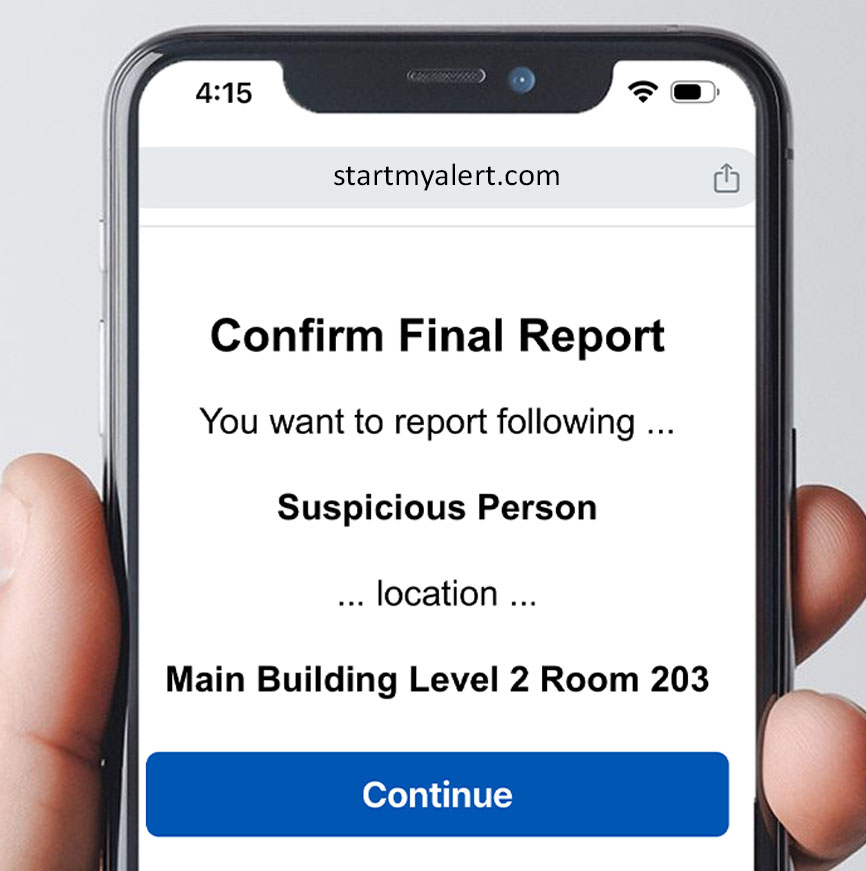
Built for Clarity Under Stress
StartMyAlert trades a single “panic tap” for a guided workflow that helps users report accurately and quickly. That means fewer false alarms, faster triage, and better outcomes when seconds matter.
- Guided emergency workflow with location mapping
- Discreet by design with role-based visibility
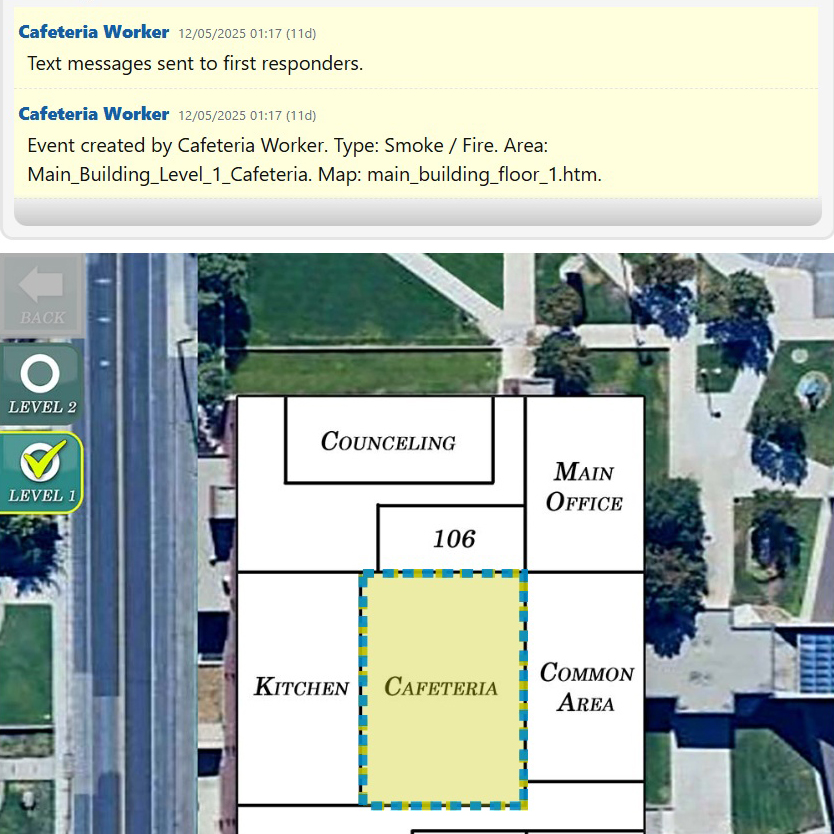
- Real-time event timeline for coordinated response
- Web-based to work on all modern phones & desktops
Why StartMyAlert matters
Emergency reporting tools must be fast, but also accurate and safe. StartMyAlert focuses on the essentials: clear location, clear event type, and a clean responder experience.
Room-level accuracy
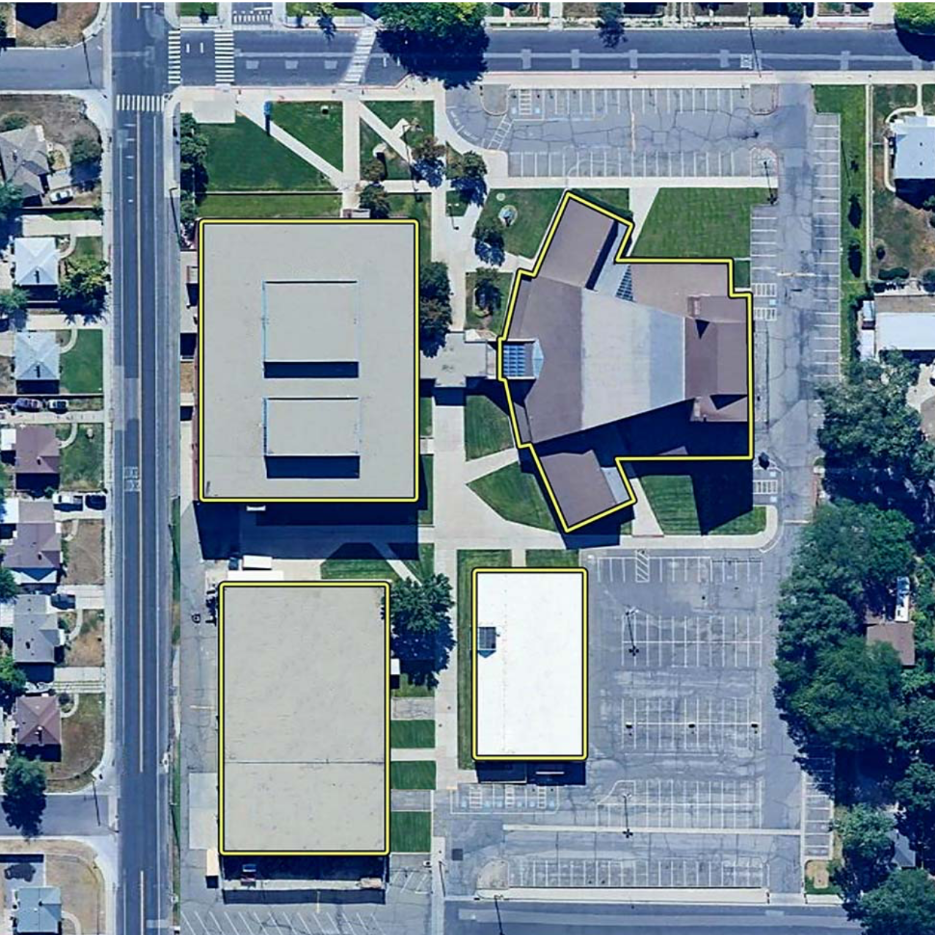
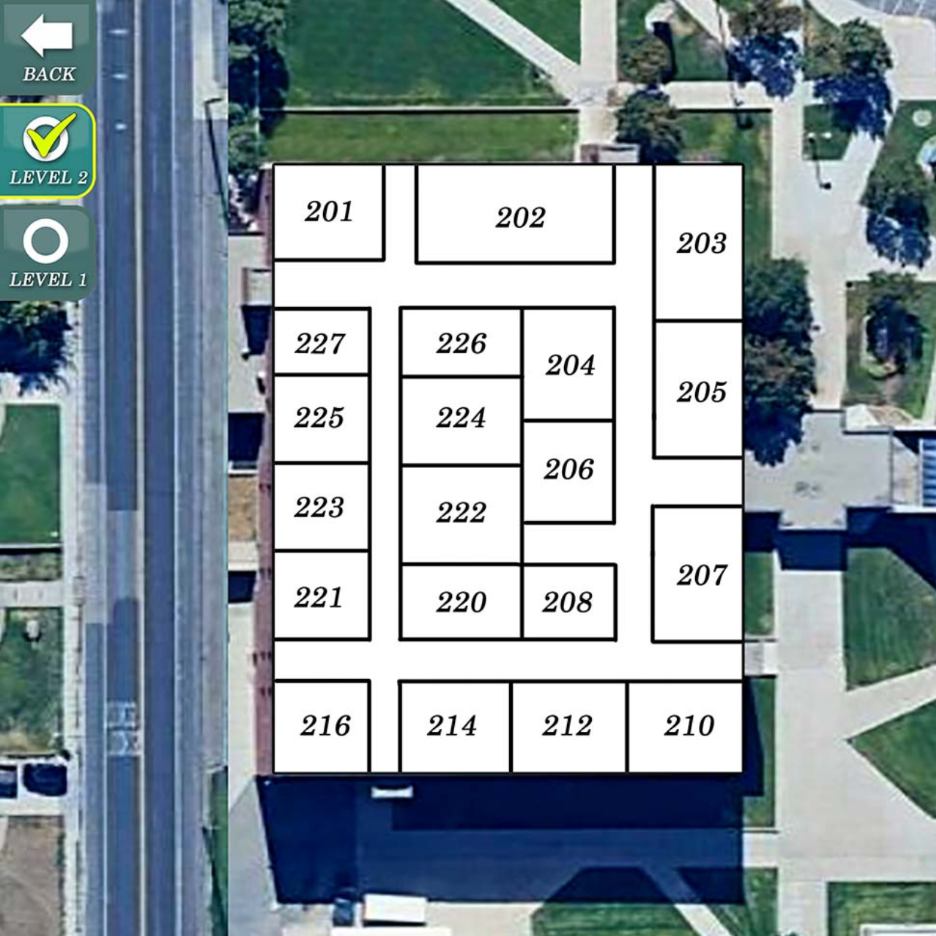
Select the exact building, floor, and room using interactive maps - so responders aren’t guessing.
Guided workflow
A short guided flow reduces false alarms and improves report quality under pressure.
Discreet communication
Approved first responders can view and communicate about ongoing emergency events.
Mobile-first
Web-based to work on all modern phones & desktops without installing apps and software.
Designed for schools & churches
StartMyAlert supports environments where discretion matters and responders need clarity. It also scales to larger facilities that require accurate location details and coordinated response.
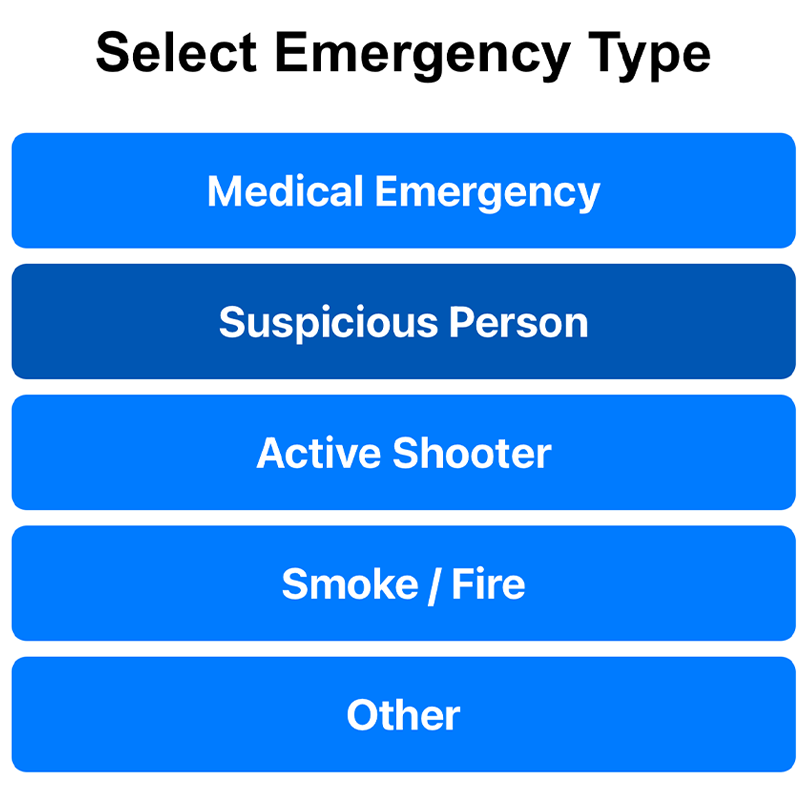
- Medical incidents, suspicious persons, smoke/fire, fights, and other urgent needs
- Faster response through clear location + real-time event timeline
- No native app required - works across modern mobile and desktop browsers
How it works
A guided process that stays fast under stress - while improving accuracy and reducing false alarms.
Choose the location
Select the campus/building, then narrow to the correct floor and room using interactive maps.
Select emergency type
Pick an emergency category and optionally add details. The flow is designed to be quick and clear.
Responders coordinate
Authorized responders see the event instantly, track updates on a real-time timeline, and coordinate internally.
Security & privacy by design
StartMyAlert is built around discretion. Reporting users can see only their own submissions and limited system feedback. Responder coordination stays private.
Role-based visibility
Approved first responders can view and communicate about ongoing emergency events.
Audit-friendly history
Critical incident data is preserved. Admins can hide events or history entries for privacy and safety needs.
Works where you work
Designed for modern browsers on phones and desktops - helping organizations deploy quickly without installing apps and software.
Admin & control
Administrative users manage organizations, users, and visibility controls through a dedicated interface. Designed to preserve critical data while supporting appropriate discretion.
- User, organization, and event management
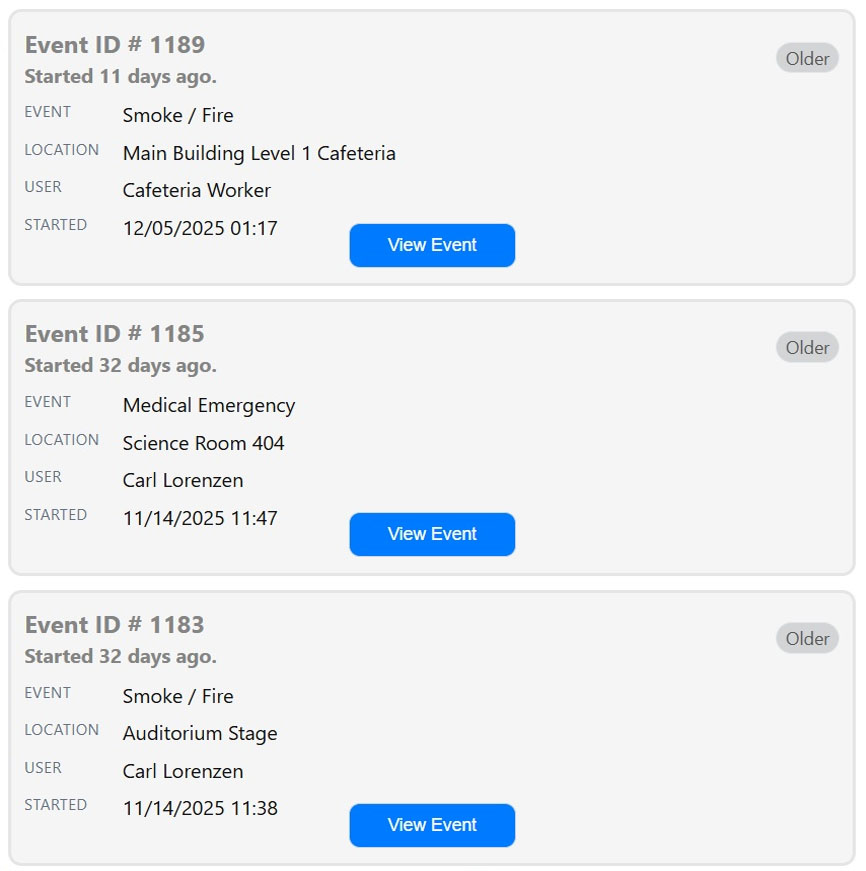
- Recent events are highlighted for immediate access
- Ability to hide events/history entries for privacy and safety
Backed by decades of experience
Database Systems Corp. (DSC) has provided data management products and services since 1978. Our expertise includes computer telephony integration software, IVR applications, voice broadcasting, and call center technology.
Need immediate assistance?
Call our Phoenix headquarters at (602) 265-5968
Office hours: 8:00 AM – 5:00 PM Mountain Standard Time